How is Waveshift deployed?
A Waveshift deployment is created end-to-end by wsctl. The
partner engineer runs wsctl in an empty directory, walks
through three short configuration dialogs, and clicks Deploy
→ All. The orchestrator, supporting services, and a first
Control Hub (if requested) are all provisioned in about
10–15 minutes for a clean run.
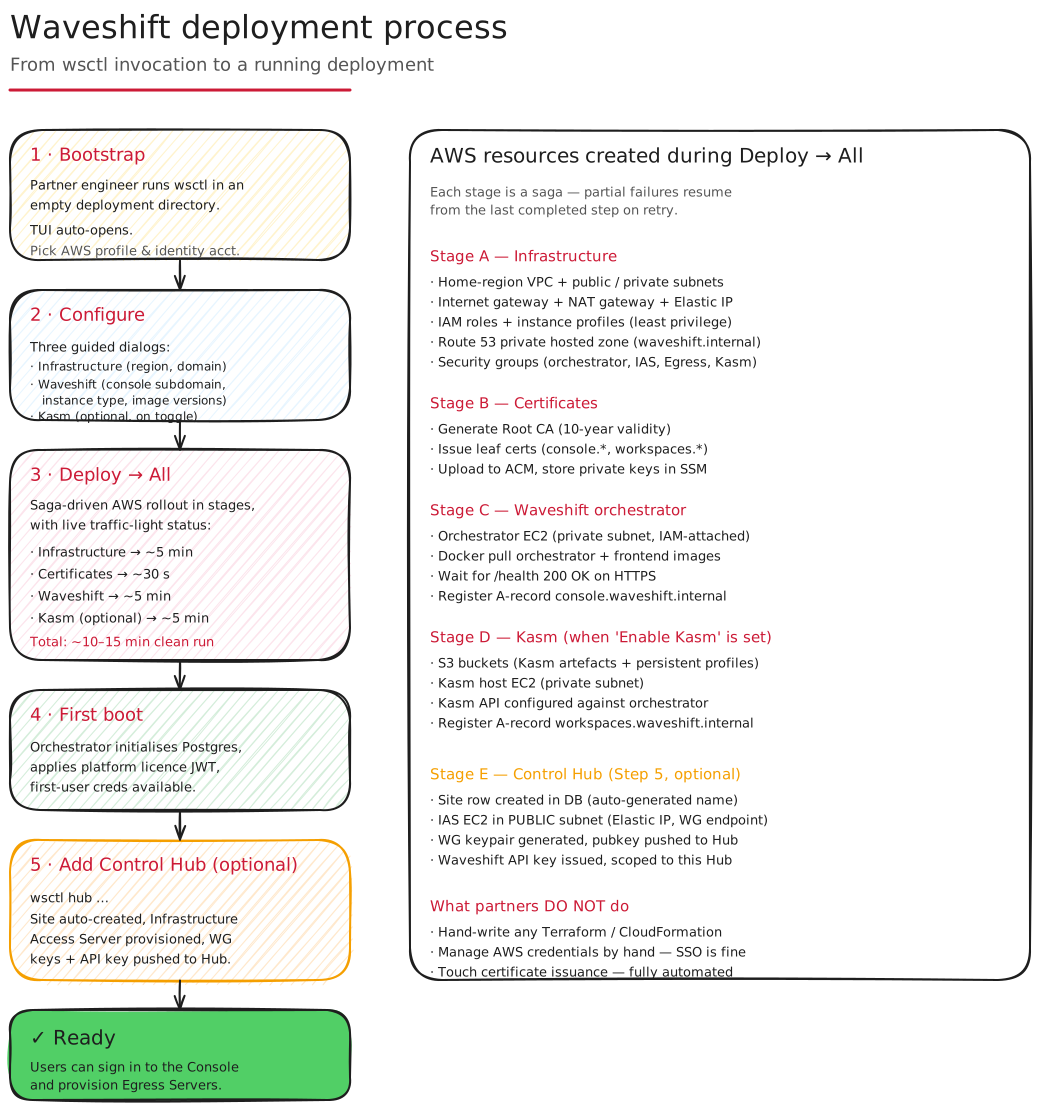
The six stages
- Bootstrap —
wsctlopens in an empty deployment directory. Pick AWS profile and identity account. - Configure — Three dialogs: Infrastructure (region, domain), Waveshift (console subdomain, instance type, image versions), and Kasm (optional).
- Deploy → All — Saga-driven AWS rollout: infrastructure, certificates, Waveshift, Kasm. Live traffic-light status.
- First boot — Orchestrator initialises Postgres, applies
the licence JWT (if one was supplied), and creates the default
adminaccount. - Add Control Hub (optional) —
wsctl node-site createcreates a Site and provisions its Infrastructure Access Server;wsctl hub configurethen pushes WG keys to the Hub. - Ready — Users can sign in to the Web Console and provision Egress Servers.
Each deploy step is idempotent: wsctl records every resource it
creates in wsctl.json, so a failed run resumes from the last
completed step on retry. Partners don't hand-write Terraform,
don't manage AWS credentials manually (SSO is fine), and don't
touch certificate issuance — all automated.
See also
- Get started → Deploy walkthrough — step-by-step deployment guide.
- CLI → Walkthrough — the
wsctlTUI in action. - How is an Egress Server provisioned? — the per-region equivalent run by users.