Sites administration
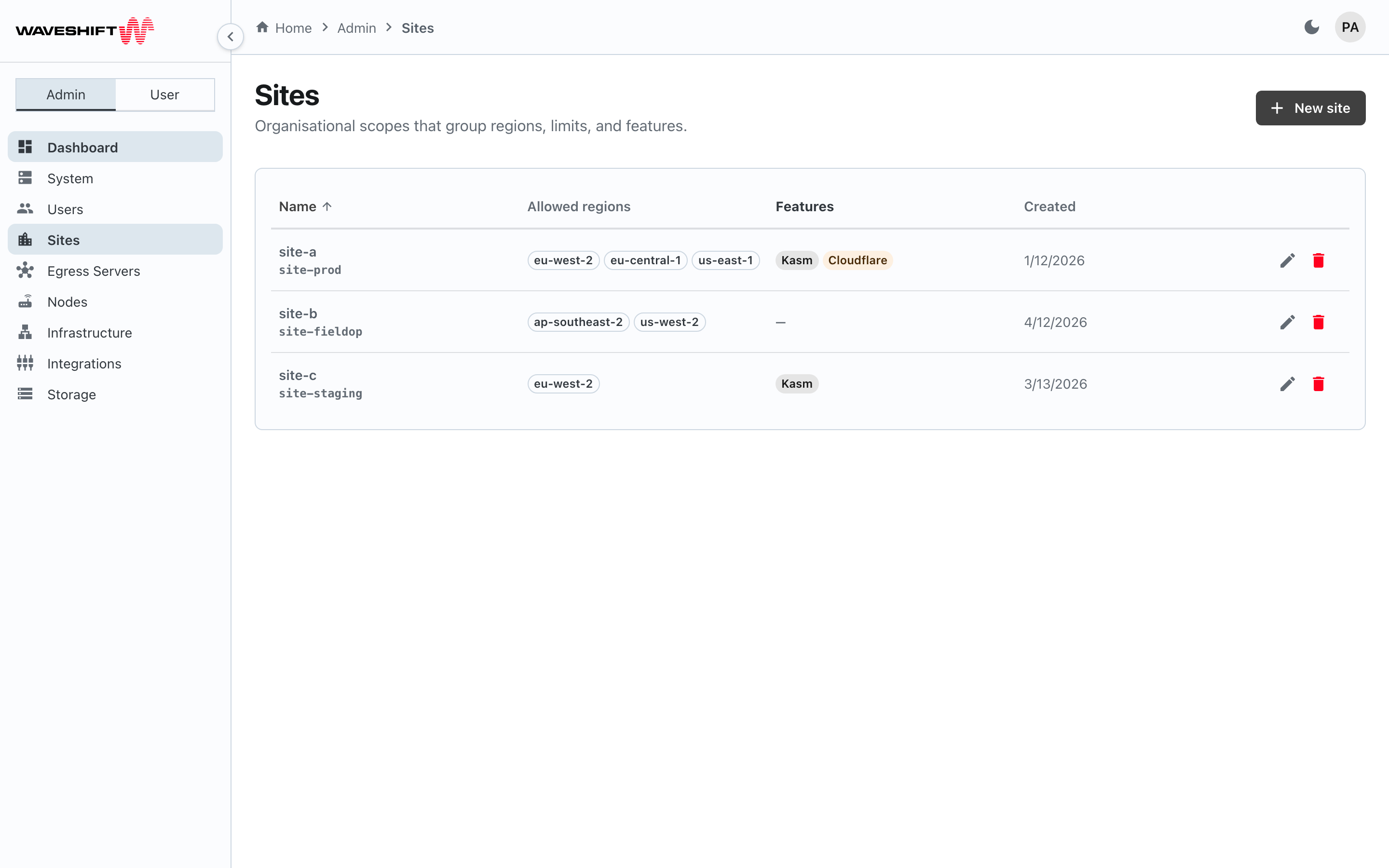
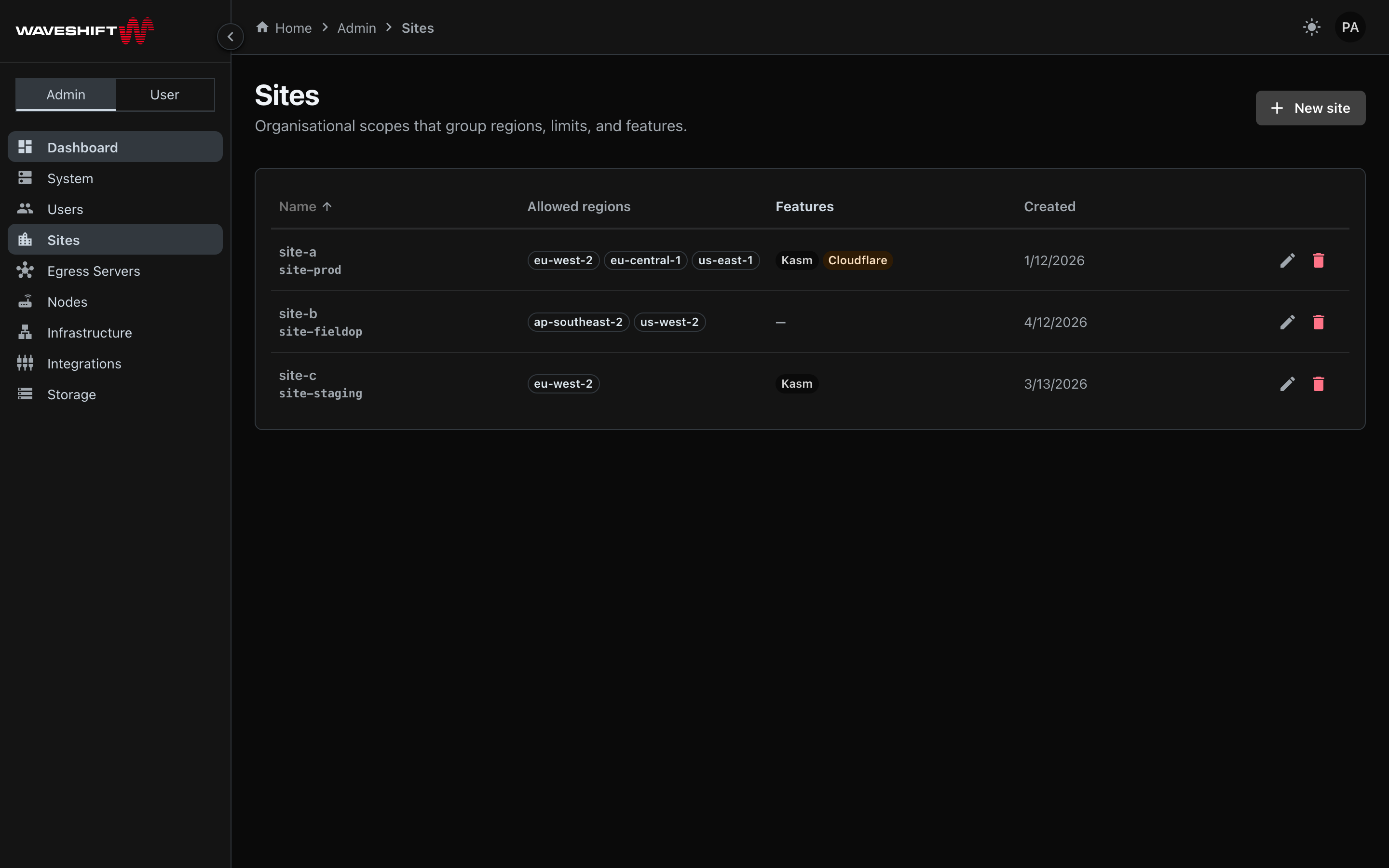
The Sites page (/admin/sites) manages the region scopes
that admins use to control which AWS regions users can egress
through, and to anchor hardware (hubs and their nodes) to
specific regions. A user can belong to one or more Sites — the
union of their Sites' allowed regions is what they can use.
Physical hardware nodes attach to a Site through their control
hub, so the hub's Site membership is what pins the downstream
nodes.
Sites don't decide features — user records do
Whether a specific user has Kasm Workspaces, QR-code peers, Cloudflare egress, or node-configuration rights is governed by per-user licences and flags on the user record, not by Sites. A Site only decides which AWS regions any of those features can run in for that user. See Site in the glossary for the full picture.
The main reasons to create more than one Site are:
- Traffic separation — different teams' egress traffic must exit from different jurisdictions.
- Node-based egress plus wider software-only egress — give a user one Site that has Nodes (region scope pinned to that Site's allowed regions) plus a second Site with no Nodes but wider region options. The user's LAN devices route through a Node when they want hardware-mediated egress, and use a QR-code WireGuard client or a Kasm session for software-only egress in the wider Site.
For deployments without those requirements, a single "all regions" Site assigned to every user works fine.
What the console enforces today
- Membership isn't editable in the console. The user dialog
on Users administration has no Sites field; new
users start with no Sites, and editing a user leaves their
memberships unchanged. Membership is set through the users
API (
UpdateUser,site_ids). - Region scope isn't applied in the create dialog. The New egress server dialog lists every active region whichever Site the user picks. The Site choice does decide which Site's available nodes a paired Node is drawn from.
How Sites work
Two things make Sites confusing: how they come into being (there are two paths), and how users overlap across them (multi-Site membership). The diagrams below cover each in turn.
How Sites get created
flowchart LR
    wsctl["wsctl hub<br/>(during or after deploy)"]
    ui["Admin · Sites ·<br/>New site"]

    siteHub["Hub-anchored Site<br/><i>appears in the Sites table</i>"]
    siteManual["Manual region Site<br/><i>appears in the Sites table</i>"]

    effHub["Hub bound to the Site<br/>+ downstream Nodes inherited"]
    effManual["Region scope available<br/>to users assigned to it"]

    wsctl -->|creates| siteHub
    ui -->|creates| siteManual
    siteHub --> effHub
    siteManual --> effManual
Two paths, one table. The Sites administration table mixes both kinds — the auto-created rows already have a Hub attached when they appear; the manual rows are pure region scopes with no Hub.
How users belong to Sites
A user can be in one or more Sites. The Venn diagram below shows four example Sites — three overlapping (two with hubs + nodes, one software-only), plus one isolated Site that shares no members with the rest.
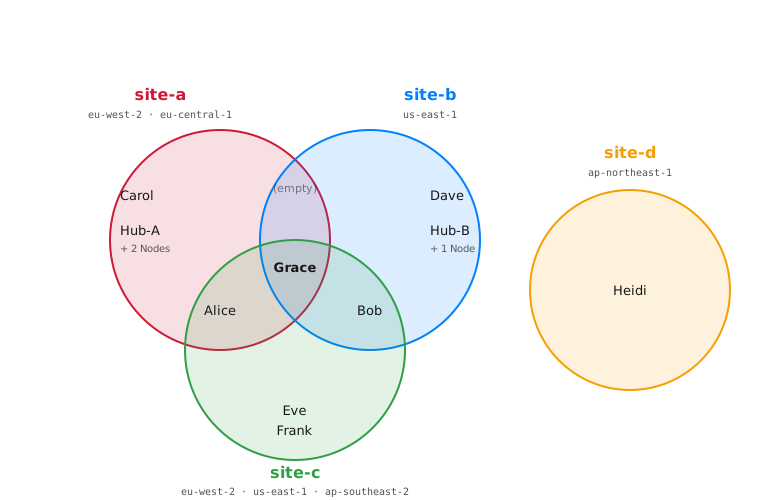
In this example:
| Site | Type | Allowed regions |
|---|---|---|
site-a |
Hub-anchored (Hub-A + 2 Nodes) | eu-west-2 · eu-central-1 |
site-b |
Hub-anchored (Hub-B + 1 Node) | us-east-1 |
site-c |
Manual, software-only | eu-west-2 · us-east-1 · ap-southeast-2 |
site-d |
Manual, isolated | ap-northeast-1 |
Note that a Hub-anchored Site can have more than one allowed
region — site-a is the example here. The user (and the Nodes
they pair with their egress servers) can target any of the
Site's regions; the Hub itself is just a management VPN, so its
region count isn't constrained by hardware.
Where traffic actually exits
User traffic always exits the Waveshift network at an Egress Server in an AWS region — never at a Hub or a Node. The Hub and the Node sit on the on-premises side of that exit point. Their roles:
- Hub — a Brume 2 router that dials a preconfigured
WireGuard tunnel into the Site's Infrastructure Access
Server (in the AWS deployment). That tunnel is what the
orchestrator uses to configure Nodes attached to the Hub.
A user never talks to the Hub directly; an ops-room
tablet plugged into the Hub's LAN can reach
console.waveshift.internalbut not the general internet. - Node — the on-premises device a user's LAN gear plugs into. Its WireGuard tunnel terminates at the chosen Egress Server.
Tethered vs. remote Node: while a Node is physically
attached to its Hub, the Node's user-WG tunnel runs
inside the Hub's tunnel (tunnel-in-tunnel) so the local
ISP only sees one outbound endpoint regardless of how many
Nodes are co-located. Once a Node is unplugged and taken
away on its own bearer, it dials its Egress Server directly
— that obscurity is no longer needed because each Node is
on a different ISP. Either way, traffic exits the platform
at the Egress Server and crosses AWS VPC peering — never
the public internet — to reach *.waveshift.internal
services.
Reading the diagram person by person:
- Carol — only in
site-a. When she creates an egress server she picks one ofsite-a's two allowed regions (eu-west-2oreu-central-1) and optionally pairs the server with one ofsite-a's two Nodes. LAN devices plugged into that Node will route through the egress server. The same Node can be repointed at a server in the other region the next time — the Site's region list, not the Node, is what caps her choices. (Hub-A, labelled alongside, is the management VPN tunnel that lets the orchestrator configure the Nodes — Carol never interacts with it.) - Dave — only in
site-b. Same shape: egress servers inus-east-1, optionally paired withsite-b's one Node. - Eve and Frank — only in
site-c. No Nodes in this Site, so no Node pairing — their egress traffic flows directly from a WireGuard client (a QR-code config on a phone, for example) or a Kasm Workspaces session to an egress server in any ofsite-c's three regions. - Alice — in both
site-aandsite-c. When she creates an egress server she picks which Site's region scope to use. If she pickssite-a, she can pair the server with a Node from Hub-A. If she pickssite-c, no Nodes are available; she reaches the egress server via a QR-code client or Kasm instead. - Bob — same shape as Alice, with Hub-B's Node and
site-b. - Grace — in all three. She can create egress servers
across the regions in
site-a,site-b, andsite-c, pairing with Nodes when the chosen Site has them. Uncommon — typically a multi-region operations engineer. - The middle zone marked (empty) —
site-aandsite-btogether but notsite-c. No one in this example. It would mean a user with access to both Sites' Nodes but no wider-region software-only egress; admins rarely build that. - Heidi — only in
site-d. Her own Site with its own region (eu-central-1). No shared people, Nodes, or regions with any other Site.
Three relationships drive the layout:
- User ↔ Site is many-to-many. Alice, Bob, and Grace all benefit from being in multiple Sites.
- Hub ↔ Site is one-to-one. Each hub sits firmly inside its
own Site's circle, in the only zone — never crossing into
another Site, because
wsctlminted the Site specifically for it. - Sites can be fully disjoint.
site-dshares no members or hardware with the others. Two unrelated teams in the same deployment look like this.
What's not in the diagram: each user's licences and feature flags (Kasm, Cloudflare, node-configuration rights). Those live on the user record and apply regardless of which Site they're acting under — a Site only decides which AWS regions those features can run in.
If you don't need this kind of separation, create one "all regions" Site and assign every user to it — both circles collapse to one, and the overlap and one-Site-only zones disappear.
How Sites grew into this shape
Sites started life as a Node-grouping primitive — a way for the orchestrator to push the right config to the right hardware when a partner had multiple physical locations. The software-only path came later: not every customer needed physical Nodes, so we added a manual-Site option that scoped regions but had no Hub or Nodes attached. Once both kinds of Sites coexisted, multi-Site membership and the Node-mediated-vs-software-only separation patterns above fell out for free. We kept them because they map cleanly to real partner requirements (traffic separation by team, contractor isolation, hardware-vs-Kasm scoping). One concept, several useful uses — the abstraction earned its keep.
The table
Sortable, paginated (25 rows per page) with these columns:
- Name — site name, with the 12-character site ID rendered small below it.
- Allowed regions — chips listing each AWS region the site
permits, or
—if none configured yet. - Features — read-only soft chips showing the Site's stored
KasmandCloudflareflags. These flags can't be changed from the console yet (see below) and aren't used to gate anything; whether a given user can use Kasm or Cloudflare is governed by their per-user licences. - Created — relative time.
Default sort is by name. Edit and Delete icon buttons sit at the right edge of each row.
Creating or editing a site
Sites land in this table from one of two places:
- From
wsctl— when an admin runswsctl(during deploy orwsctl hubafterwards) to add a Control Hub, the orchestrator auto-creates a Site for that Hub and binds it. These Sites already have a Hub attached when they appear in the table. - From this page — the New site button in the header creates a manual Site with no Hub anchor, useful for software-only region scopes (e.g. an extra Site that widens the regions available to a user's QR-code peers and Kasm sessions).
New site in the page header (or the Edit icon on a row) opens the site dialog:
- Name — required; display name shown to users in the egress-server creation flow.
- Allowed regions — pick regions one at a time from the Add a zone drop-down; each appears as a removable chip. The drop-down lists every supported AWS region with its current status (from the Regions table on Infrastructure administration), so you can add a region before it's active. Leaving the list empty means the Site allows all regions.
The dialog also shows the following settings, greyed out with a Coming soon chip — they can't be changed from the console yet:
- Default region (shown once at least one region is added).
- Per-user limits — Max instances / user and Max egress servers / user. The dialog notes they're not enforced yet.
- Enable Kasm and Enable Cloudflare toggles.
Deleting a site
Delete opens a confirm dialog. The dialog warns that removing
the site may affect users and egress servers bound to it. A site
named Global (the default site) can't be deleted. Existing
egress servers keep running; users' references to the deleted site
are dropped, so they'll no longer see it in the Site drop-down
when creating an egress server.
Empty state
A fresh deployment with no sites shows a city-icon empty card with a New site call to action.